Ask an AI chatbot for the best free Excel leave tracker and you'll get a tidy list in seconds. What you won't get is any sense of what happens once you actually open the file: whether adding a leave code means editing one cell or twelve sheets, or whether the totals on the summary tab mean what they say. So we downloaded the six Excel leave trackers most commonly recommended for 2027 and actually used them, from setup through to the reports a manager would rely on, to see how they hold up for a UK business that just wants leave tracking sorted with minimum fuss.
- Best overall: Simple Leave (4/5), with UK-focused leave categories out of the box and the clearest reporting we saw
- Best if you only need to track annual leave for a very small team: Absentia (3/5), fast to set up but slow to maintain
- Avoid: Team Absence Vacation Tracker (0/5) has two leave codes, room for five employees, and sheets locked behind a password
- Need days and hours tracked together, or more than one leave type logged on the same day: none of the six free planners handle this. If that's a must-have, look at the paid dhxsoft Excel leave planner instead, which supports both.
In Summary
| Planner | Overall Rating | Verdict |
|---|---|---|
| Absentia | 3/5 | A slick web-based generator makes setup fast, but adding a single new leave code means editing 12 monthly sheets and reapplying conditional formatting to each one. Half days and custom codes are supported, though an invalid code can still trigger the "valid" formatting, which risks masking entry mistakes. Reporting is thin outside annual leave, and half-day balances are confusingly shown as a count rather than a total: three half days taken displays as "3" instead of "1.5". |
| Charlie HR | 1/5 | Development appears to have stopped in 2024, with no sign of ongoing fixes or updates. Leave is logged one row at a time on a single sheet, a novel approach but a fiddly one compared with block calendar entry. The calendar is slow to navigate and it's unclear at a glance exactly what the totals are measuring. |
| Leave Monitor | 2/5 | Setup is slow, requiring every employee entered across all 12 monthly sheets, and you're locked into a fixed three-team structure. Leave codes can't be customised at all, though day-to-day entry via dropdown is genuinely simple. The interface looks crisp, but the Yearly Total sheet can't distinguish entitlement-tracked codes from ones that just count usage. |
| Team Absence Vacation Tracker | 0/5 | Employee data has to be entered by hand across all 12 monthly sheets, and every sheet is password-protected against any customisation. Only two leave codes are available, half days aren't supported, and the whole tracker is capped at five employees. There's no summary or balance reporting of any kind. |
| Vacation Tracker | 1/5 | Reasonably easy to set up, with room for 12 extra codes, though any custom code has to be duplicated by hand across all 12 sheets. Up to 21 codes are supported, with half-day and fractional entries handled well. The big miss is reporting: every leave type is blended into one "Absence total" instead of being broken down by category, which doesn't meet UK reporting needs. |
| Simple Leave | 4/5 | Ships pre-configured with UK-focused leave categories, so almost no setup is needed, and dropdown entry avoids manual mistakes. Ten core UK leave types are supported out of the box, with room for 10 more plus deeper customisation. The calculations sheet gives a clear per-category breakdown, with a new 2027 option to track entitlement and balance, or just a running count. |
In Detail
Below, we go through each planner in turn, covering how easy it is to set up, whether it copes with real-world leave tracking, and how clearly it presents information back to managers.
Absentia
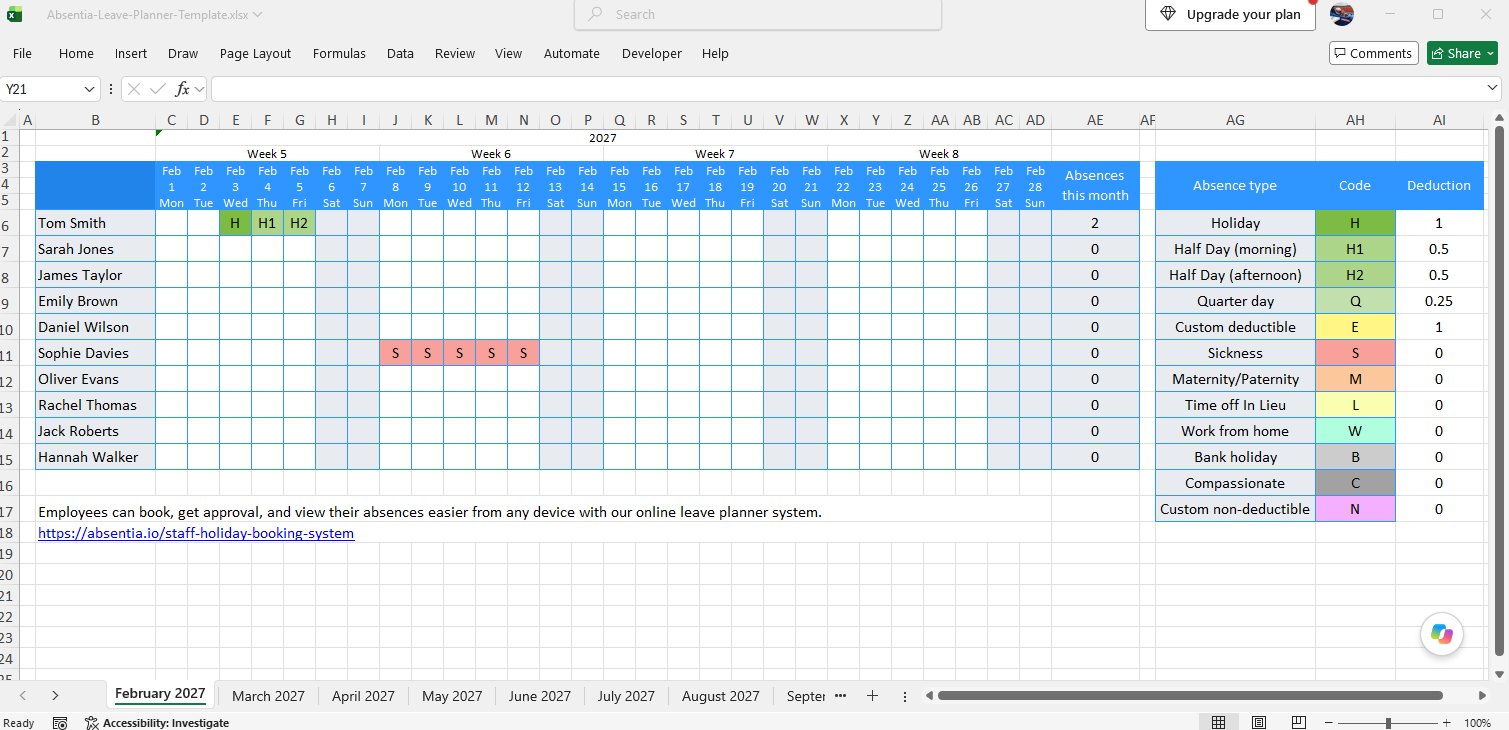
Ease of use. Absentia's web-based generator is genuinely its strongest feature. Setup is fast and intuitive. That good first impression fades fast once you need to add a leave code, though: every new code has to be added across all 12 monthly sheets in columns AJ–AL, and the conditional formatting behind it needs applying to each of those sheets individually. That's 24 separate changes to keep in sync for a single new code, and plenty of room for something to get missed along the way.
Leave tracking. Half days and fractional days are supported, and a decent range of custom codes can be generated. The naming convention for half-day codes is a little unintuitive (H1 for a half day, rather than something like HD), and custom codes can't share a starting letter with an existing one. The hours-based version of the template feels unfinished: there's no conditional formatting and the totals sheet is very basic. The bigger issue is how the conditional formatting itself behaves. An invalid code can still trigger formatting as though it were valid, which risks masking data-entry mistakes. TOIL balances aren't factored into leave totals, only one leave type can be recorded per day, and bank holidays aren't shown distinctly on the calendar; they're treated the same as any other entered leave code.
Information presentation. Only annual leave gets a full entitlement/taken/remaining breakdown; getting that same view for other categories means customising the totals sheet yourself. Half-day balances are confusing to read: the summary sheet shows a count rather than a total, so three half days taken shows as "3" instead of "1.5". Beyond that, the summary sheet is limited to basic counts, with little in the way of individual reporting.
Closing comments. Absentia draws you in with a slick setup experience, but the appeal wears off fast. Adding and formatting new leave codes is slow and error-prone, the totals sheet needs real work before it's useful to a manager, and the conditional formatting quirk can leave you believing an invalid code has been accepted when it hasn't. The hours template, in particular, feels more like a placeholder than a finished feature. Overall rating: 3/5.
Charlie HR
Ease of use. This planner appears to have been abandoned since 2024, with no sign of ongoing updates or fixes.
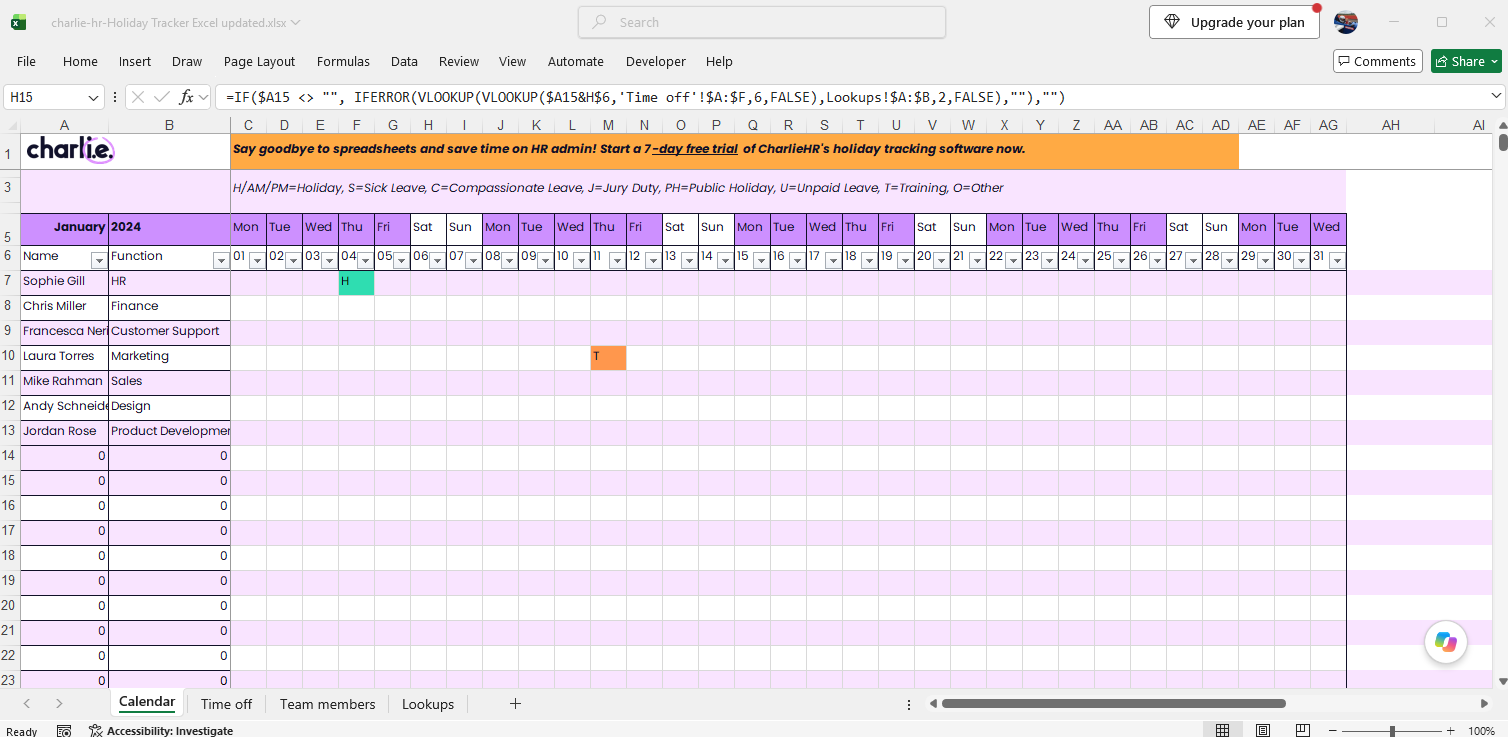
Leave tracking. Charlie HR takes a different approach to everyone else on this list, requiring every leave entry to be logged as its own row on a single "Time Off" sheet. It's a novel idea, but it doesn't feel intuitive in practice: booking five days of holiday means creating five separate row entries rather than one block. On the plus side, this row-based approach does make it straightforward to record decimal and partial values such as half days.
Information presentation. The calendar view is cumbersome to navigate: you have to select a month from a dropdown, and the sheet visibly lags while it recalculates. Reporting fares worse. It isn't clear at a glance what the Time Off sheet is actually totalling: annual leave specifically, or every absence type combined. That ambiguity undermines the one thing a leave tracker needs to get right, and a garish colour scheme with inconsistent formatting doesn't help.
Closing comments. It's hard to recommend Charlie HR when stronger free options exist. Between the abandoned development, the unintuitive row-by-row entry method, the sluggish calendar, and reporting that doesn't clearly say what it's measuring, this planner asks a lot of patience for very little in return. Overall rating: 1/5.
Leave Monitor
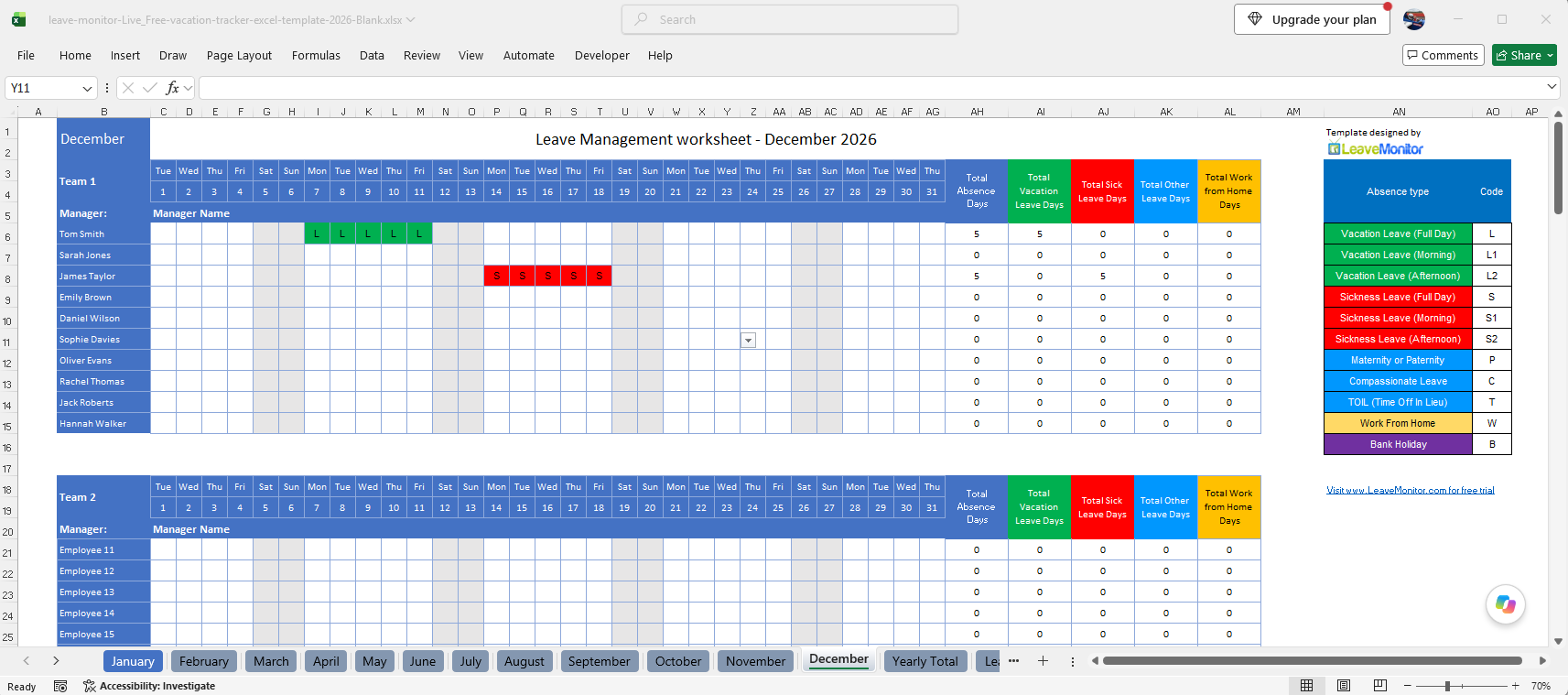
Ease of use. Setup is slow, requiring every employee to be entered across all 12 monthly sheets plus the yearly total sheet. The planner also locks you into a fixed three-team structure for organising staff. Once set up, though, day-to-day entry is genuinely simple: leave is selected from a dropdown list.
Leave tracking. There's no way to customise the leave codes yourself, so you're limited to whatever comes predefined. As with Absentia, any change to a code or its conditional formatting has to be repeated across all 12 monthly sheets plus the summary sheet, a slow, error-prone process for what should be a quick edit.
Information presentation. The interface has a nice, crisp look. The Yearly Total sheet, however, is fixed to the codes shipped with the planner, so any customisation elsewhere means revisiting it too. There's no flexibility to define which codes should track against an entitlement and which should simply count usage.
Closing comments. Inflexibility is Leave Monitor's biggest weakness. Teams will quickly outgrow it the moment they need a new leave category, a fourth team, or different entitlement rules for different codes. Against more flexible free options now available, it's difficult to recommend. Overall rating: 2/5.
Team Absence Vacation Tracker
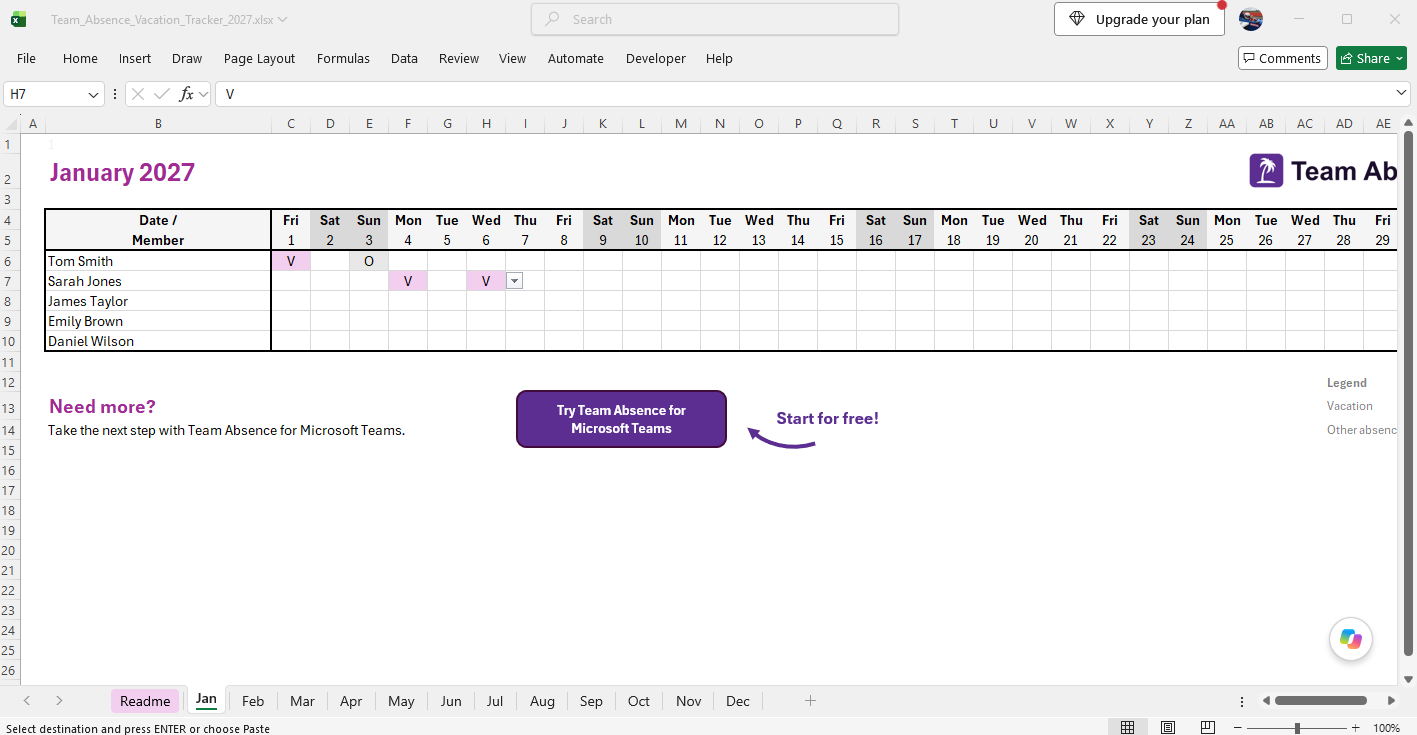
Ease of use. Data is spread across 12 monthly sheets, with employee details needing to be entered individually on each one. The worksheets are password-protected throughout, so there's no way to customise the layout or formulas yourself.
Leave tracking. Only two leave codes ship with this planner: "Vacation (V)" and "Other (O)". Neither additional codes nor half-day tracking are supported, and the whole planner is capped at five employees. For any business beyond the smallest team, this lack of customisation rules it out immediately.
Information presentation. There isn't much to assess here: no summary sheet and no balance reporting of any kind.
Closing comments. This is a non-starter for almost any business: two tracking codes, a five-employee ceiling, and every sheet locked behind a password. Worth skipping entirely. Overall rating: 0/5.
Vacation Tracker
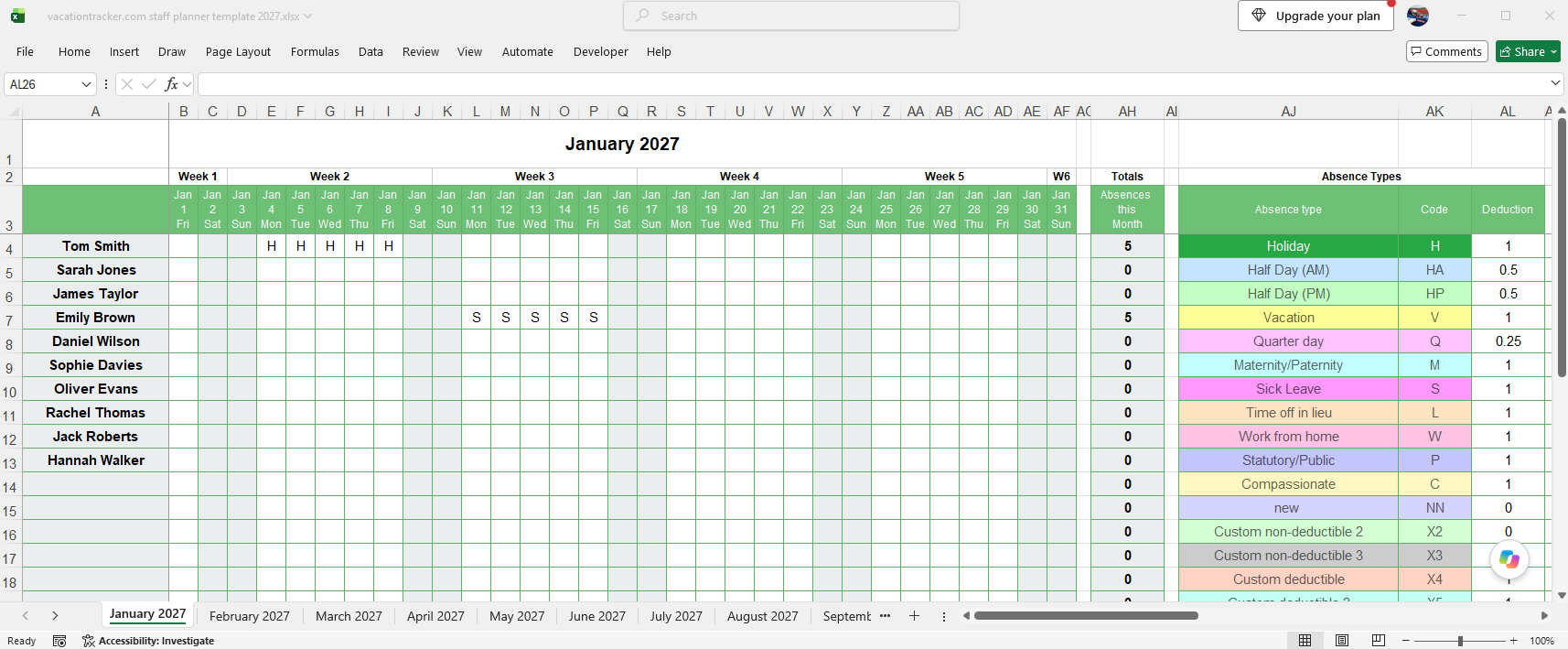
Ease of use. Reasonably straightforward to get going, with space for 12 additional leave codes. Employee name changes carry across all 12 monthly sheets automatically, but custom codes don't; those need duplicating manually on every sheet. Entering leave is as simple as typing the code, though there's no conditional formatting included out of the box, a nice touch that several other planners on this list offer by default.
Leave tracking. Up to 21 codes are supported in total, and deductions can be entered as half days or other fractions.
Information presentation. This is where Vacation Tracker falls down for UK businesses. It doesn't distinguish between leave types in its totals, so annual leave and sick leave are lumped together into a single "Absence total" rather than being broken out into their own categories with their own balances. It's a problem that could be solved with enough manual customisation, but at that point you've lost the main benefit of downloading a ready-made template in the first place.
Closing comments. Vacation Tracker misses the mark for the UK market, which needs individual tracking and reporting broken down by leave category, not one blended absence figure. Overall rating: 1/5.
Simple Leave
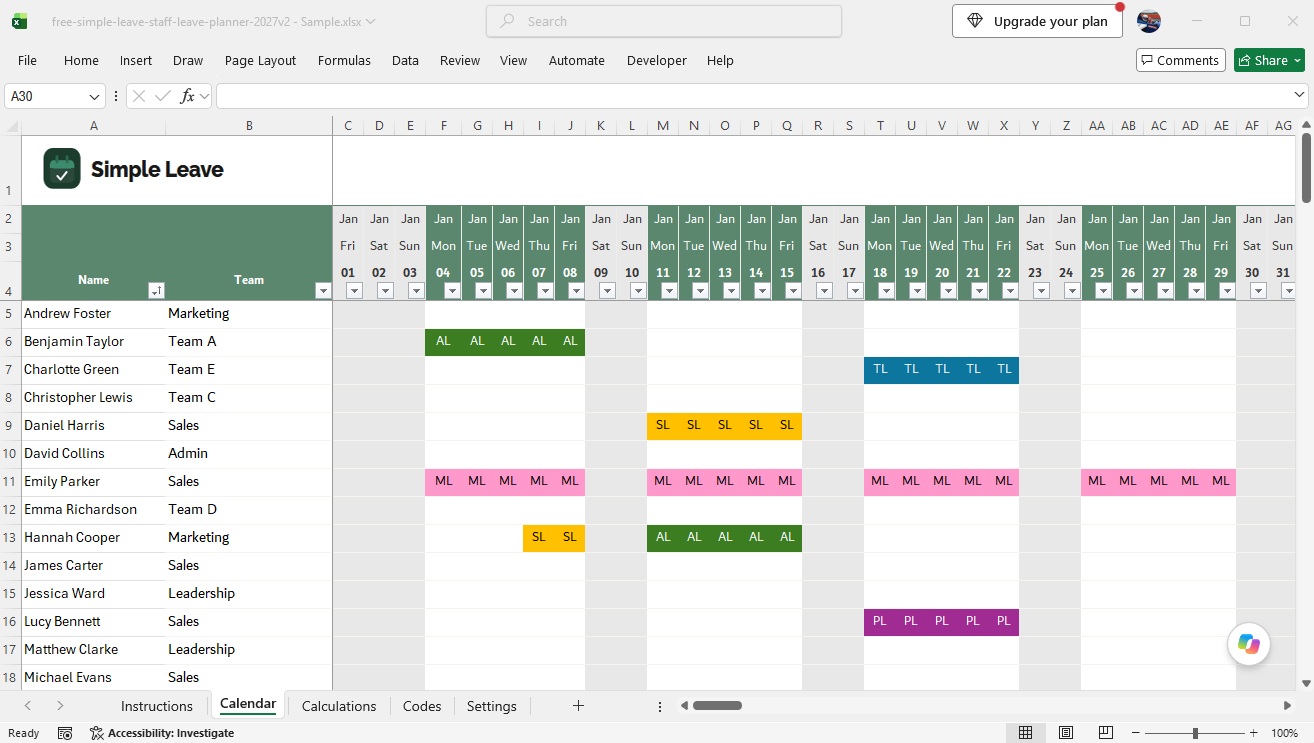
Ease of use. Simple Leave ships with a full set of UK-focused leave categories already configured, so there's little setup needed before you can start tracking. Entering leave is done by selecting a code from a dropdown, which removes the risk of manual entry errors. There's very little formula maintenance to worry about day to day: only the calendar's conditional formatting rules need updating if you add a code. The settings sheet also lets you enter bank holidays and company days, and set working weekdays, which automatically shades out non-working cells on the calendar.
Leave tracking. The planner comes with Annual Leave, Sick Leave, Maternity, Paternity, Compassionate Leave, Jury Service, Study/Training Leave, TOIL, Unpaid Leave, and Volunteering Leave supported from the start, all built with UK businesses in mind. There's room for 10 further codes, plus deeper customisation for confident users. Like every planner tested, only one code can be entered per day, but additional codes can be added within existing categories.
Information presentation. The calculations sheet gives a clear, per-category breakdown of leave taken. New for 2027, you can now choose whether to track entitlement and remaining balance for each category, or simply track the count of days used. Every sheet on the tracker is consistently and neatly formatted.
Closing comments. Simple Leave's Excel planner was built to be download-and-go: pre-configured for the UK market and designed around the exact limitations found in the other free planners in this review. That's no accident: it's built on 20 years of supplying the paid dhxsoft Excel planner to businesses, so the underlying formula and formatting work is well proven in practice. Overall rating: 4/5, about as good as a free Excel planner gets.
The Bottom Line
Of the six free Excel leave trackers we tested for 2027, Simple Leave comes out on top. It's the only one built specifically around UK leave categories, with reporting that actually breaks down by type and formatting that doesn't need rebuilding by hand every time you add a code.
Absentia is worth a look if you only need to track annual leave for a very small team, but be ready to invest time in maintaining it. The rest fall short in ways that will cost you more time than they save, whether that's rigid team structures, locked-down sheets, or reporting that doesn't distinguish between leave types.