Every year it's the same job: a new leave cycle starts, and someone goes through every employee, one by one, checking their annual leave entitlement is still correct. Twenty employees means twenty separate edits, even when the change is identical for most of them.
That's the problem the new By Policy Type view solves. Instead of opening each employee's record in turn, you update one leave policy for the whole organisation from a single table.
What's New: Edit Allocations by Policy
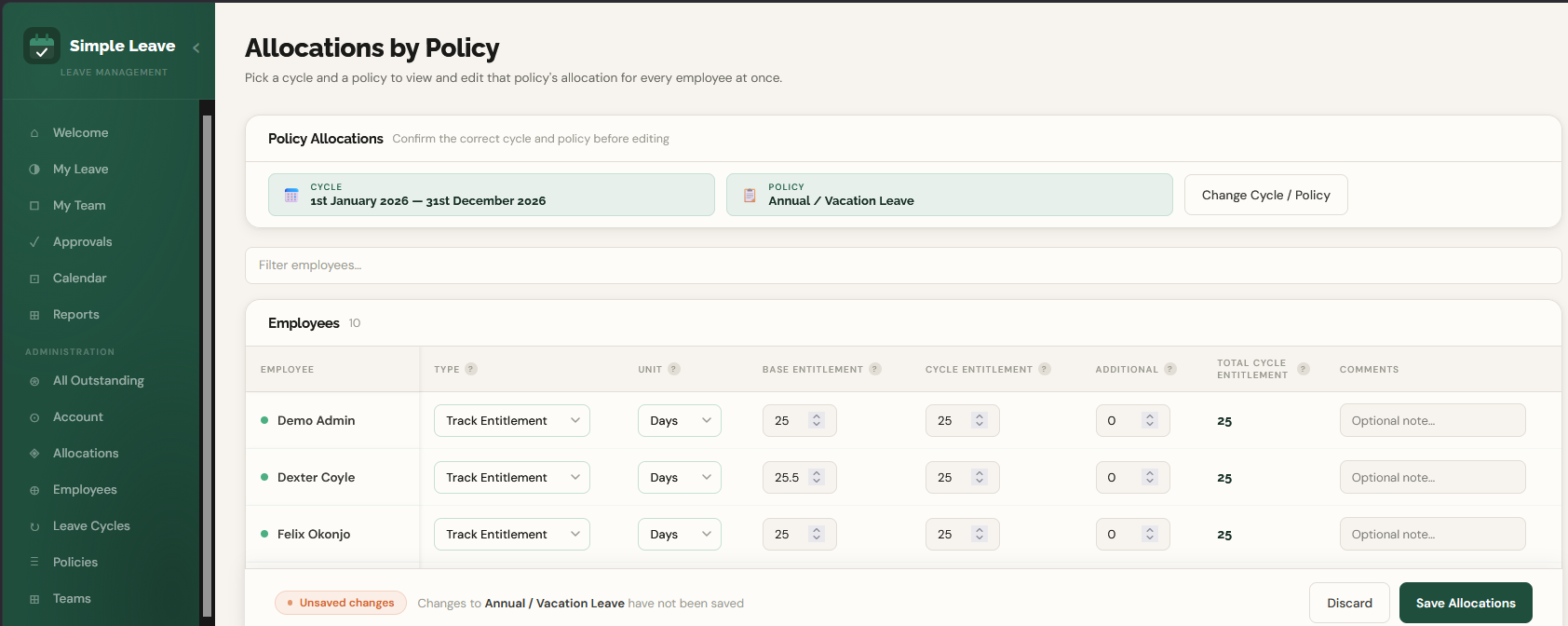
The allocations page now has two tabs. By Employee is the original view: pick a person, see and edit every policy that applies to them. By Policy Type is the new one. Pick a leave cycle and a policy, and you'll see every employee's entitlement for that policy in one editable table, with the fields you already know: allocation type, unit, base entitlement, cycle entitlement, additional days, and comments.
Nothing saves until you click Save Allocations, so you can work through the table, adjust a handful of employees, double-check it, and commit the whole batch in one go.
Where This Saves the Most Time
It's built for moments like these:
- Rolling over to a new leave cycle and confirming everyone's entitlement is still right
- Rolling out a policy change, like adding two extra days of annual leave company-wide
- Fixing a batch of allocations that got set up wrong during onboarding
- Moving a group of employees from Track Entitlement to Keep Count, or the other way round
Nothing Changes for One-Off Edits
If you only need to change one person, By Employee hasn't gone anywhere and works exactly like it always has. By Policy Type is just there for when the same change needs to land across everyone at once.
Frequently Asked Questions
How do I bulk edit leave allocations in Simple Leave?
From the allocations page, switch to the By Policy Type tab, choose a leave cycle and a policy, then edit the entitlement for every employee in that one table. Save once and it applies to everyone shown.
Can I still edit leave allocations for one employee at a time?
Yes, By Employee hasn't changed. Use whichever view fits what you're doing, one person or many.
Does bulk editing affect leave that's already been taken?
No. Bulk editing only changes entitlement, the amount of leave someone's assigned for the cycle. Anything already requested or approved stays untouched.
Who can access the bulk allocation editor?
Only organisation administrators can view or edit allocations, whether that's by employee or by policy.