Free Excel Leave Planner 2026
Track staff holiday, annual leave and absences across your whole team. UK bank holidays pre-filled. Microsoft Excel only.
.xlsx file · Microsoft Excel · Free · No support provided
What's included in the free planner
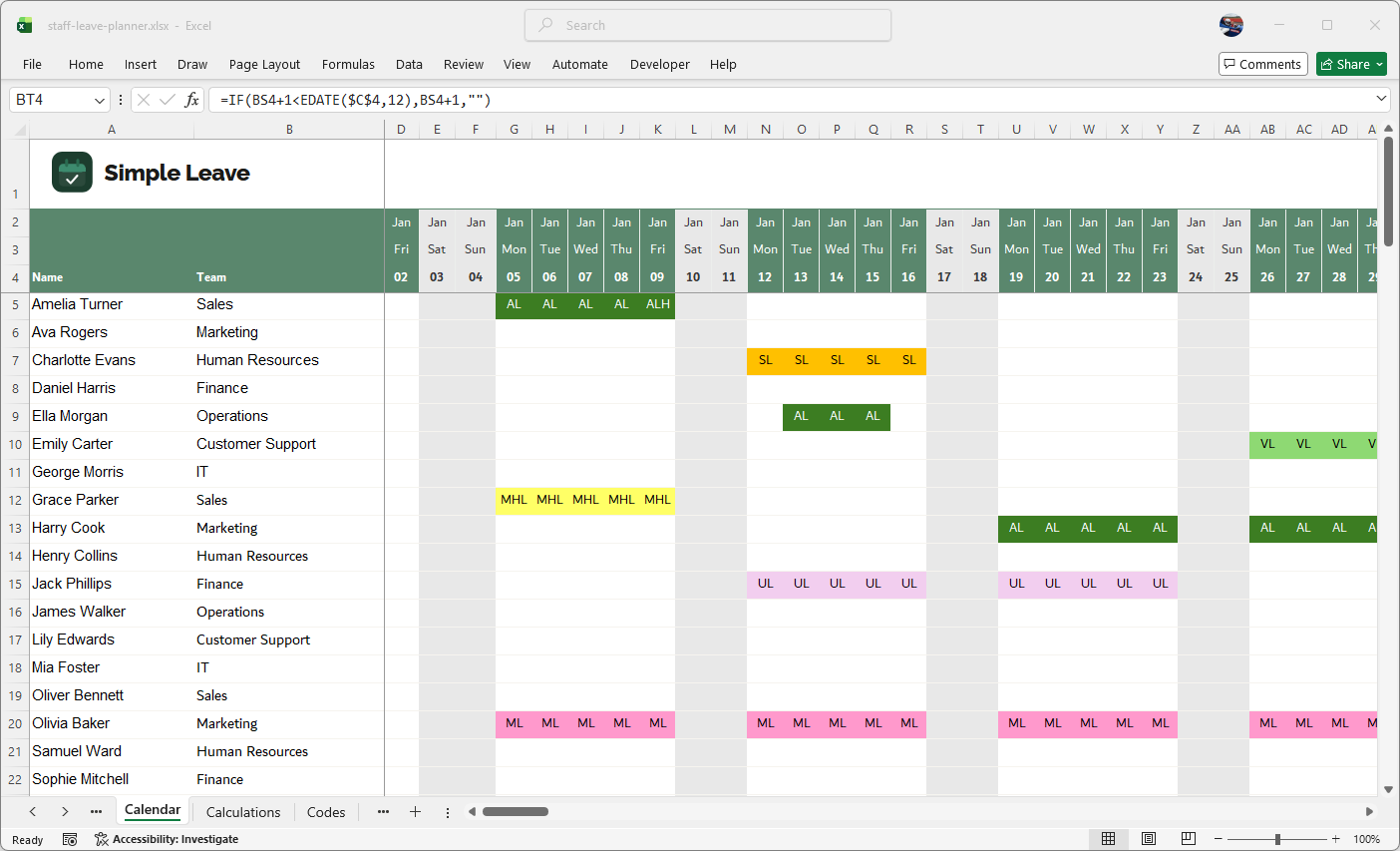
A colour-coded monthly calendar showing all team leave at a glance. Bank holidays are highlighted automatically. Fractional days (e.g. half days) are controlled by the value assigned to each leave code — no formula changes needed.
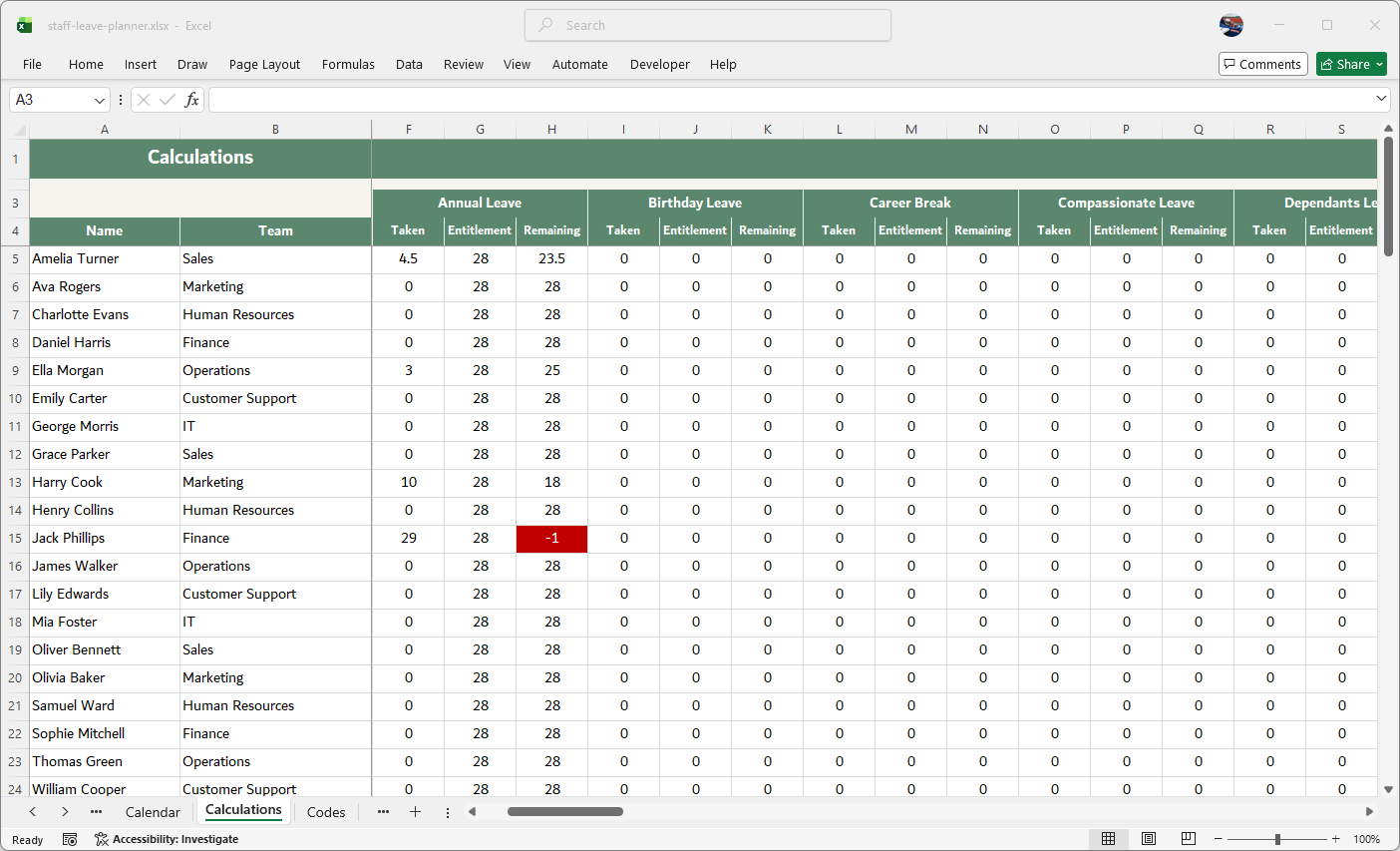
A separate sheet tracks each employee's entitlement, days taken and days remaining — updated automatically. Fractional days are supported; the fraction is set per leave code on the Codes sheet, keeping formulas simple. Hours-based tracking and detailed reports are not included.
Pre-loaded with every UK legislative leave type — Annual Leave, Sick Leave, Maternity Leave, Paternity Leave, Adoption Leave, Shared Parental Leave, Compassionate Leave, Parental Bereavement Leave, TOIL and more — all colour-coded. Adding a custom type only requires updating the conditional formatting; all calculations update automatically.
Download your free 2026 planner
No sign-up. No email address. A free, ready-to-use Excel spreadsheet
with 2026 UK bank holidays already filled in.
This template is provided free of charge. No technical support is offered or implied.
How to get started
Click download above. Accept the terms, save the .xlsx file and open it in Microsoft Excel. The planner is ready to use straight away.
Enter each team member's name onto the Calendar sheet. Use the Calculations sheet to configure leave entitlements per employee. The Codes and Settings sheets let you configure leave types, fractional day values, and other options.
Enter leave on the calendar. Balances update automatically and the yearly summary gives you a full picture at a glance.
- 2026 England & Wales bank holidays pre-filled — 8 public holidays already entered in the calendar
- Statutory 5.6 weeks minimum supported — set any entitlement amount to match your policy
- Pro-rata for part-time workers — enter any decimal entitlement (e.g. 22.4 days for a 4-day week)
- Flexible fractional days — half days and other fractions are controlled by the value assigned to each code on the Codes sheet. No complicated IF statements — the formulas are kept simple so anyone can use them
Ready to outgrow the spreadsheet?
The Excel planner works well for small teams. But as your team grows, managing leave in a spreadsheet gets messy fast — especially when multiple people need access, or employees need to book leave themselves. Simple Leave is the natural next step — and it's free for your first 30 days, so there's plenty of time to explore whether it's the right fit. We can also help you import your data from this spreadsheet, or from any other spreadsheet you're currently using, so you don't lose a thing when you make the switch.
- Employees request leave online
- Managers approve with one click
- Live team calendar for everyone
- Balances tracked automatically
- Email notifications built in
- Free for up to 5 employees
Free for up to 5 employees. No credit card required.